
If you have a photography background, you already know this framework. You just might not have realised you could bring it with you into Blender. Three point lighting is one of the oldest and most reliable lighting setups in photography and cinematography, and it translates directly into 3D product rendering. It is not a rigid rule you have to follow forever, but as a foundation for beginners it is one of the most useful things you can learn because once you understand why it works, you can break it intentionally rather than accidentally.
So if you have ever wondered why your Blender product renders look flat or lifeless, three point lighting for product rendering in Blender is where we start.
The key light
This is your main light source and the one that does the most work in the scene. It is what shapes the product, creates the primary shadows, and sets the overall mood. In product rendering I typically position the key light slightly above and to one side of the product, similar to how you would position a studio light for a product photography shoot.
The strength and size of this light matters enormously. A smaller, stronger key light will give you harder shadows and a more dramatic, high contrast look. A larger, softer key light will wrap around the product more gently and feel more premium and editorial. Think about what you want the product to communicate before you decide.
The fill light
The fill light sits on the opposite side of the key light and its job is to soften the shadows created by it. Without a fill light the dark side of your product can look too harsh and lose detail, which rarely reads well for beauty or cosmetic products.
Rather than using another area light for fill, I tend to keep my HDRI setting very low so it does not introduce any unwanted reflections into reflective surfaces like glass or chrome packaging, and then I add my own fill lights manually. This gives me much more control over the final result, especially when working with products that have shiny or semi-transparent materials that pick up everything in the environment around them.
The rim light
This is the one I would call the most underrated light in a product render, and it is the one most beginners skip entirely. The rim light sits behind and to the side of the product and its purpose is to separate the product from the background by creating a thin edge of light along one side. Without it your product can feel like it is sitting in the scene rather than existing within it, and there is a subtle but significant difference between the two.
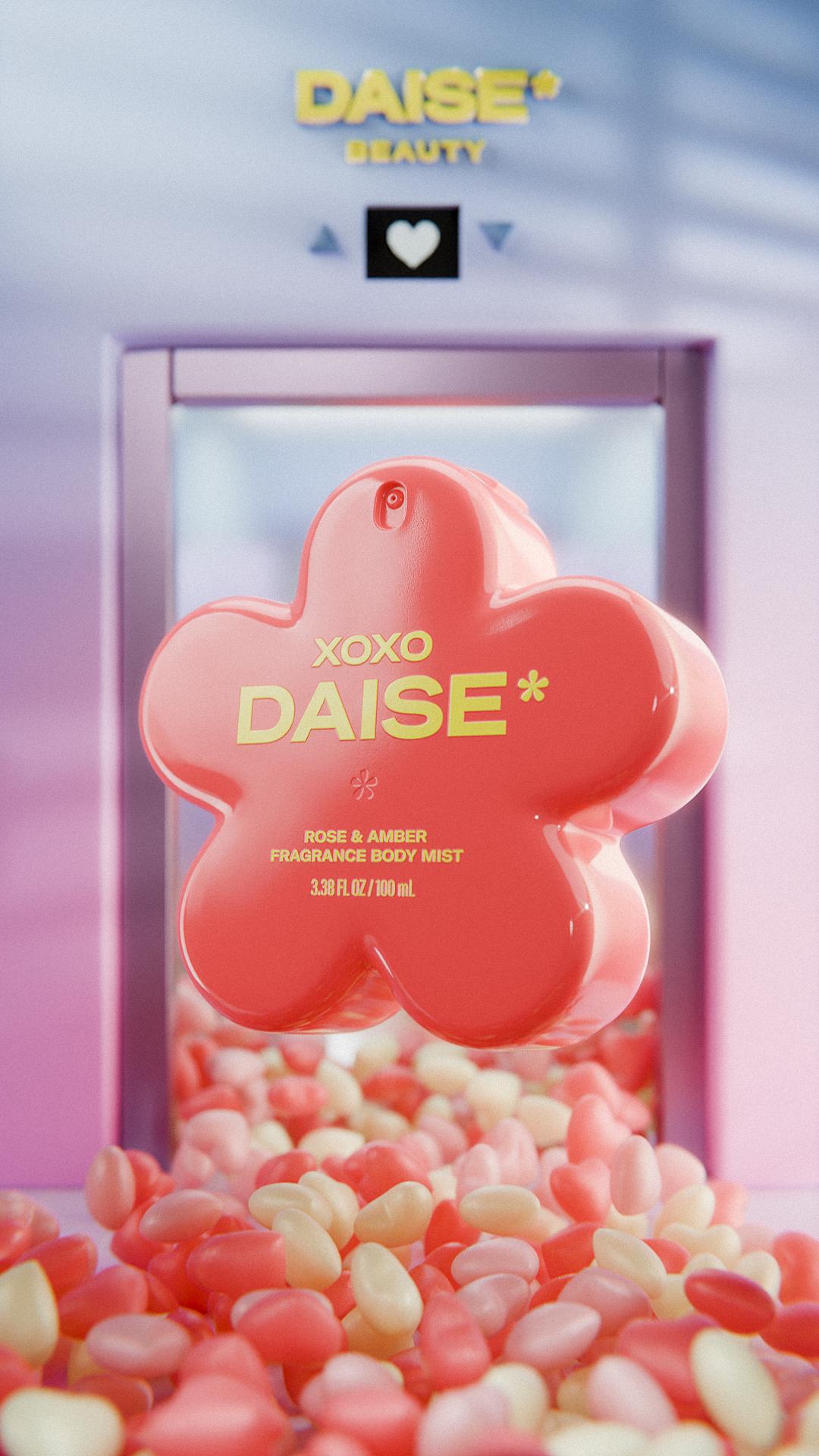
In my recent animation for Daise Beauty, a flower shaped fragrance body mist, the rim light was doing two jobs at once. It separated the product from the pink and purple background tones that would otherwise have overpowered it, and it reinforced the idea that there was a large window light source coming from the right side of the frame. That one light was the difference between a product that floated in the scene and one that felt grounded and cinematic.
It is a small addition that makes a significant difference to the overall quality of the render.
A note on HDRIs
If you are using an HDRI for environmental lighting, which most product renders do, be careful about how much of it you let into the scene. HDRIs are brilliant for adding realistic ambient light and natural reflections but if you are working with reflective packaging, glass bottles, or any product with a shiny surface, a strong HDRI will show up in those reflections and you may not always want what it brings with it. I typically dial the HDRI strength right down and use it purely as a subtle base, then build the rest of the lighting manually with area lights I can control completely. It takes a little longer but the results are worth it.
Start here, then break the rules
Three point lighting is a foundation, not a formula. Once you understand what each light is doing and why, you will start to see opportunities to deviate from it intentionally. Maybe your scene only needs two lights. Maybe the rim light needs to be coloured rather than white to match the mood of the campaign. Maybe the fill light needs to be almost invisible. These are all creative decisions you can only make confidently once you understand the framework underneath them.
If you want to take your lighting further, my post on light linking in Blender is the natural next step. It covers how to control exactly which lights affect which objects in your scene, which opens up a whole new level of precision in your renders.
Come and find me over on TikTok at @lollypix where I post regular Blender tutorials and behind the scenes content!




0 Comments